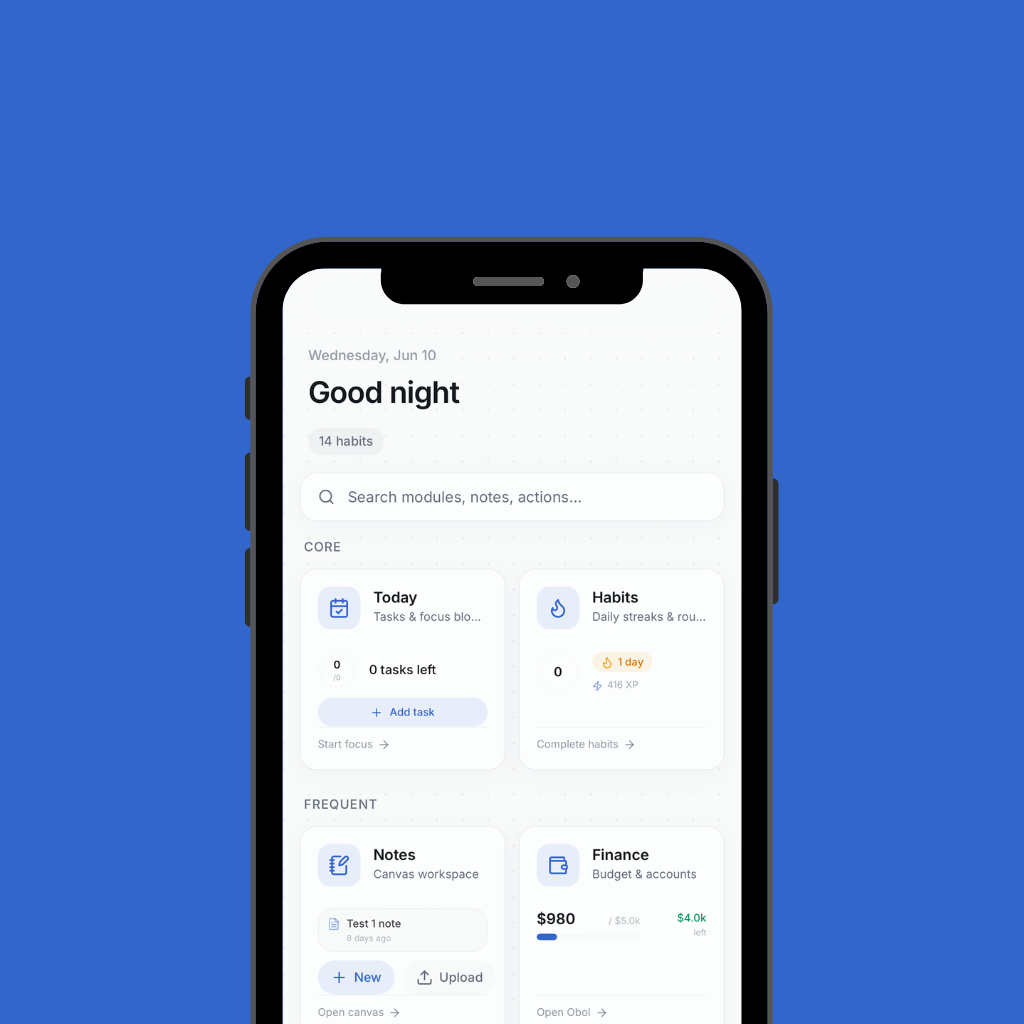
I built Arlo because my workflow was spread across too many disconnected tools. My calendar, finances, travel planning, files, notes, and communication all lived in separate systems that didn't share context. I wanted a single place that could access this information, connect it, and help me act on it. What started as a simple dashboard evolved into a full personal operating system that I now use as the central layer for my day-to-day workflows.
Most productivity tools are built in isolation. They handle scheduling, email, finances, notes, or files, but rarely connect to each other. This forces constant switching between apps and makes it difficult to build a unified view of tasks, priorities, and personal data.
Build a central system that connects major parts of my digital life and reduces friction between planning, execution, and information access.
I built Arlo as a multi-layer system rather than a single app. The web platform acts as the main dashboard, a Mac menu bar app handles quick task and to-do management, and a Chrome extension supports email workflows. I integrated multiple APIs to pull in data from different services and built an AI layer that can operate across them. On top of that, I added a voice interface using speech and audio tools so I could interact with the system hands-free.
Challenges
What was hard
- Integrating many different services into one consistent system—every API had different formats, authentication flows, and limitations.
- Deciding how far to go in unifying features versus keeping certain workflows in specialized tools.
- Adding voice functionality introduced additional complexity around latency, accuracy, and maintaining a natural interaction flow across systems.
Wins
What worked
- AI assistant for questions, planning, and workflow automation
- Budgeting and personal finance dashboard
- Travel planning for flights, hotels, and itineraries
- Calendar and meeting management
- Contact management with follow-up reminders
- Email management via Chrome extension
- File organization and editing
- Notes and knowledge management
- Habit tracking
- Maps and navigation tools
- Health and wellness integrations
- CAD and 3D printing workflows
- Music and media integrations
- Mac menu bar app for task and to-do management
- Voice mode using speech-to-text and text-to-speech pipeline
- Arlo became the central system I use to manage planning, communication, and information across my daily life. Instead of switching between multiple apps, I can access and act on most of my workflows through one connected platform with both text and voice interfaces.
- This project pushed me into system-level thinking. Building Arlo required designing how different services communicate, how data moves across the system, and how user interactions stay consistent across web, desktop, browser, and voice interfaces. It also reinforced how important architectural decisions are early in a project, especially when multiple integrations and interaction modes are involved.
Skills
What I learned
Impact
Outcomes
- Consolidated a large portion of my personal productivity stack into a single ecosystem.
- Serves as both a daily tool and a long-term system for experimenting with AI, automation, and multi-modal interfaces across web, desktop, browser, and voice-driven interactions.